No coding experience needed
Build the learning tools you wish you had.
Hands-on vibe coding workshops for K–12 teachers, parents and homeschool families. If you can describe what your learners need, you can build it.
What is vibe coding?
It's a way to make your own apps without learning to program first.
-
Describe it
Tell an AI tool what you want in everyday language: "A quiz that gives a hint when a student gets it wrong."
-
The AI builds it
It writes the code and gives you a working first version to try.
-
Test it and ask for changes
Try it like a student would. "Make the buttons bigger." "Use our vocabulary words." Repeat until it's right.
You stay in charge.
The AI does the building. You make every decision about what's right for your students or your own kids: what it teaches, how it sounds, and whether it's ready to share.
Everyone who helps kids learn is welcome
Parents and homeschool parents are a child's first teachers. I respect the role you play in your child's education, and these workshops are for you too.
Whether you teach 25 students or your own two kids at the kitchen table, you know what your learners need. That's the most important part of building something good for them.
Why build your own?
You know exactly what your students or kids need, and off-the-shelf tools rarely fit. Now you can make the one that does. A few ideas:
-
A practice tool that matches your textbook
Same lesson numbers, same words, same kinds of problems your students see in class.
-
A classroom display
A timer, a noise meter, today's agenda, or a "who's next" picker for the board.
-
A vocabulary game
Matching, flashcards or a quick-fire round, using this week's words.
-
A sign-up sheet
For conference times, field trip volunteers, or classroom jobs.
-
Practice that matches your home curriculum
Built around the program you use at home, at your child's pace.
-
A reading tracker or family chart
Minutes read and books finished, or a chore-and-learning chart for the fridge.
Example build
Math practice that notices the mistake
A parent and teacher built this for a 4th grade class to practice multiplication at home, lesson by lesson, matching the class textbook.
- When an answer is wrong, it works out which mistake was made and gives a hint about that mistake.
- If the student is still stuck, it shows the steps.
- Then it gives a similar problem to try again.
No AI runs inside the app, and it doesn't ask for any information about the child. AI was used to build it.
Open the math practice app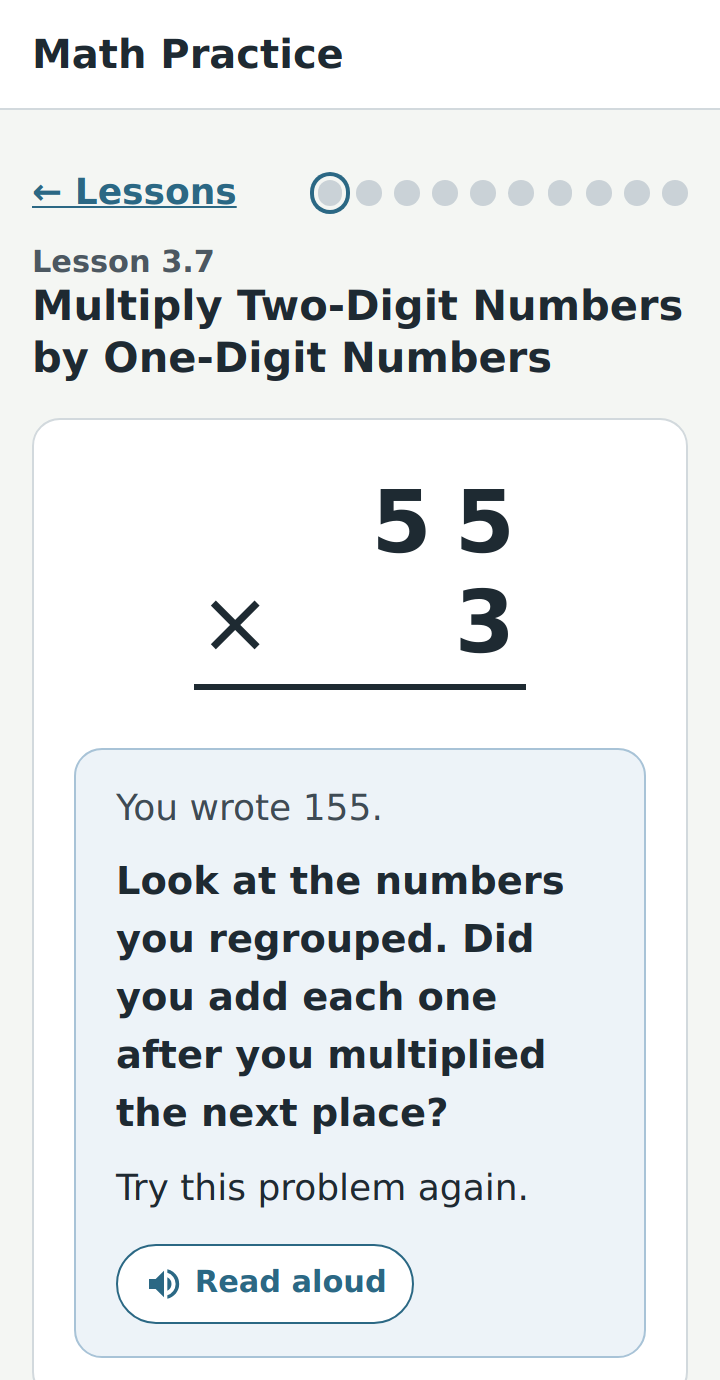
Upcoming workshops
Bring an idea for your class or your kids. Leave with something you built.
Hosting on edtechvibes
Built something for your class or your family? Host it here and get a real link to share with students, families or your own kids. For each build, you choose:
-
Private
Only people with the link can use it.
-
Shared
Listed so other teachers and parents can find it and use it.
-
Open to spin off
Other teachers and parents can make their own copy and adapt it for their class or family.
Keeping kids safe: builds hosted here must not collect any child's personal information: no names, emails, photos or anything else that identifies a child.
About me
I'm a computer science educator and professional development trainer in South Jersey, focused on helping teachers and families educate the next generation.
Get notified
Want to hear about the next workshop, or bring one to your school, homeschool group or parent group? Send a quick note.
Email edtechvibes